Best Budget Atmos Soundbar With Sub
Also considered, with no buy button here: Polk Signa S4, Sony BRAVIA Theater Bar 5. See each maker’s own page for specs and where to buy.
Quick verdict · Movie kits
Get the JBL Bar 500 MK2 if you want a slim bar plus a 10-inch wireless sub in one box.
Kits like this come with their own sub and usually can’t use one you already own. Don’t need a separate sub? See compact soundbars.
Compare at a glance
| Model | Best for | Bar size (W × H × D) | TV connection | Main drawback |
|---|---|---|---|---|
| JBL Bar 500 MK2 · top pick | Slim bar + big wireless sub | 940 × 50.5 × 104 mm; sub 325 × 400 × 325 mm | HDMI OUT (TV eARC), HDMI IN, optical | Included sub only; no output for another sub |
| Polk Signa S4 | Up-firing height speakers | 1046 × 60 × 95 mm; sub 200 × 280 × 328 mm | HDMI eARC, optical, 3.5 mm | Widest bar here |
| Sony BRAVIA Theater Bar 5 | A 3.1 bar with a wireless sub | ~900 × 64 × 100 mm; sub ~192 × 388 × 400 mm | HDMI OUT (TV eARC/ARC), optical | Tallest bar here (64 mm) |
| JBL Bar 300 MK2 | Same slim bar, no sub | 940 × 50.5 × 104 mm | HDMI OUT (TV eARC), HDMI IN, optical | No separate sub, so less deep bass |
“Atmos” here means Dolby Atmos support. Only the Polk lists up-firing drivers; the JBL and Sony create the height effect virtually. Only the top pick has an Amazon button on this page.
Our pick
JBL Bar 500 MK2
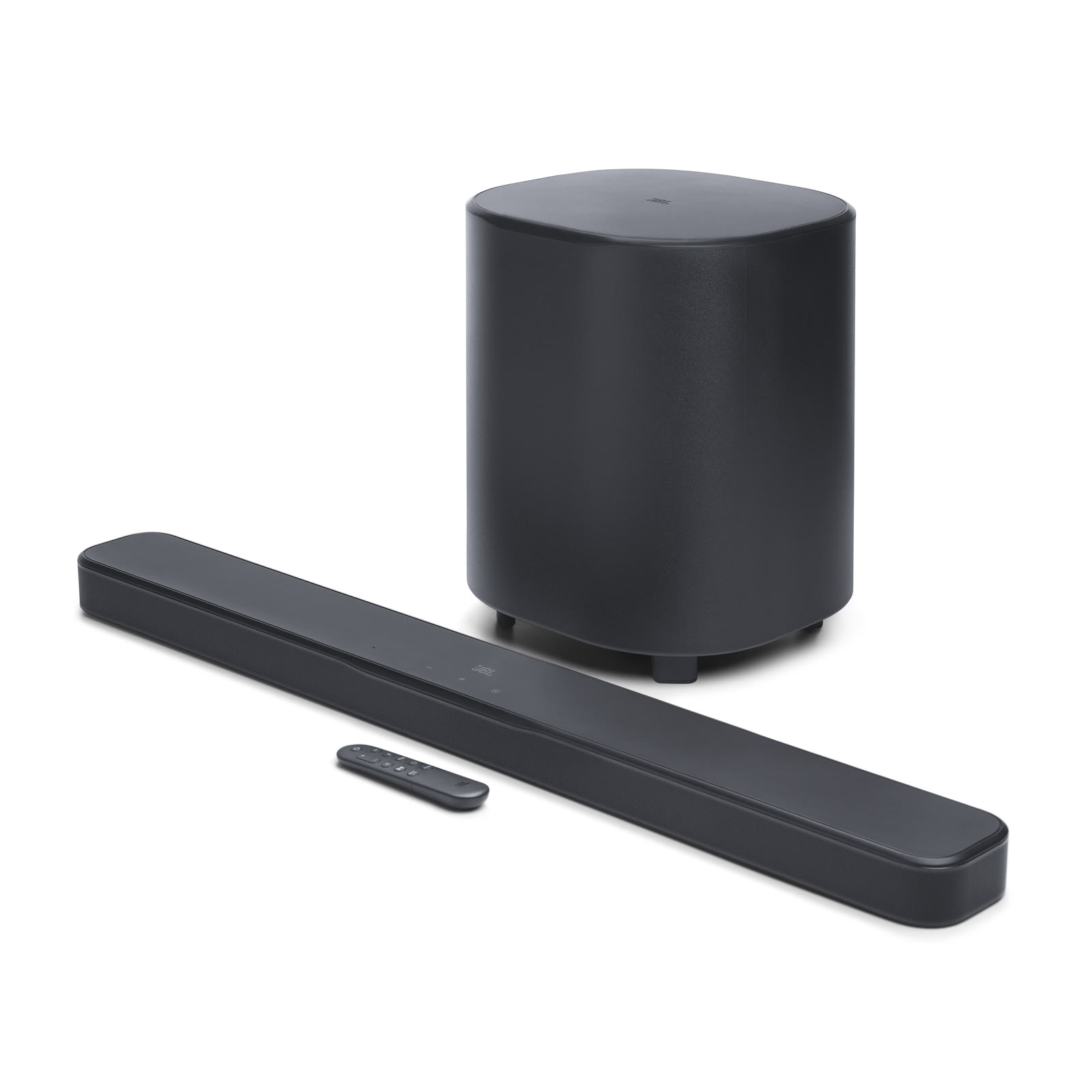
Best for: movie nights with a 10-inch wireless sub, from a bar slim enough for a low TV stand.
Skip if: you want to keep a powered sub you already own, or you want speakers that fire at the ceiling.
Pros
- 50.5 mm tall bar
- 10-inch (260 mm) wireless sub in the box
- HDMI OUT with eARC, plus one HDMI IN for a streaming box or console, optical, Bluetooth and Wi-Fi
Cons
- The included wireless sub is the only sub option; JBL lists no sub output
- Height effects are virtual, with no up-firing drivers
| Spec | Value |
|---|---|
| Bar (W × H × D) | 940 × 50.5 × 104 mm (37 × 2.0 × 4.1 in) |
| Sub (W × H × D) | 325 × 400 × 325 mm (12.8 × 15.7 × 12.8 in), 8.1 kg |
| HDMI | 1 in, 1 out (TV eARC) |
| Other inputs | Optical, Bluetooth, USB (US version), Wi-Fi |
Alternatives
Polk Signa S4. Best use: a 3.1.2 kit with up-firing height speakers. Bar 1046 × 60 × 95 mm and sub 200 × 280 × 328 mm (W × H × D), per Polk; HDMI eARC, optical and 3.5 mm analog inputs. Main drawback: at 1046 mm it’s wider than most small stands. Why it’s here: the only kit on this page with up-firing drivers.
Sony BRAVIA Theater Bar 5. Best use: a simpler 3.1 bar with a wireless sub. Bar about 900 × 64 × 100 mm and sub about 192 × 388 × 400 mm, per Sony’s Help Guide; HDMI OUT (TV eARC/ARC) and optical in. Main drawback: 64 mm tall, so check the gap under your screen. Why it’s here: a center speaker for voices plus a sub in the box.
JBL Bar 300 MK2. Best use: the same slim JBL bar if you decide you don’t need a sub. 940 × 50.5 × 104 mm; HDMI OUT (TV eARC), HDMI IN and optical, per JBL. Main drawback: no separate sub. Why it’s here: less bass, which can be easier to live with in an apartment.
Before you buy: quick fit check
- Height. Measure from the stand to the bottom of the screen. Bars here run from 50.5 to 64 mm tall. See the under-TV clearance check.
- Width and depth. These bars are 900–1046 mm wide. Measure the stand.
- Floor space for the sub. The JBL sub is 325 mm square and 400 mm tall. Plan a spot near your seat, away from shared walls.
- TV ports. eARC is best for Dolby Atmos from TV apps. If your TV only has ARC, JBL suggests plugging your streaming box or console into the bar’s HDMI IN instead of the TV. See HDMI eARC vs optical.
- Your own sub. Kits like these use their own wireless sub. To keep a powered sub you already own, look for a bar with a wired sub output; see small subwoofers for apartments.
Setup (JBL Bar 500 MK2)
- Bar to TV. Plug the supplied HDMI cable into the bar’s HDMI OUT (TV ARC / TV eARC) port, and the other end into the TV’s HDMI port labeled eARC or ARC.
- Turn on HDMI-CEC and eARC (or ARC) in the TV settings.
- Streaming box or console. With an eARC TV, plug it into the TV. With an ARC-only TV, JBL says to plug it into the bar’s HDMI IN instead, so Dolby Atmos can reach the bar.
- Choose the TV source on the bar (it’s the default), set the TV’s audio output to the soundbar, and turn off the TV speakers.
- Place the sub. Put it near your seat and away from shared walls and corners, then start with the bass low and raise it slowly. A rug or pad under the sub can reduce vibration into the floor; it won’t stop bass through the air. More tips: how to place a sub in an apartment.
Need a plain certified HDMI cable? See honest HDMI & optical cables.
Related guides
- Best compact soundbars for apartments
- Best small subwoofers for apartments
- Under-TV soundbar clearance (optional check)
- HDMI eARC vs optical for soundbars
- HDMI & optical cables that actually matter
JBL Bar 500 MK2
Check current price on Amazon